

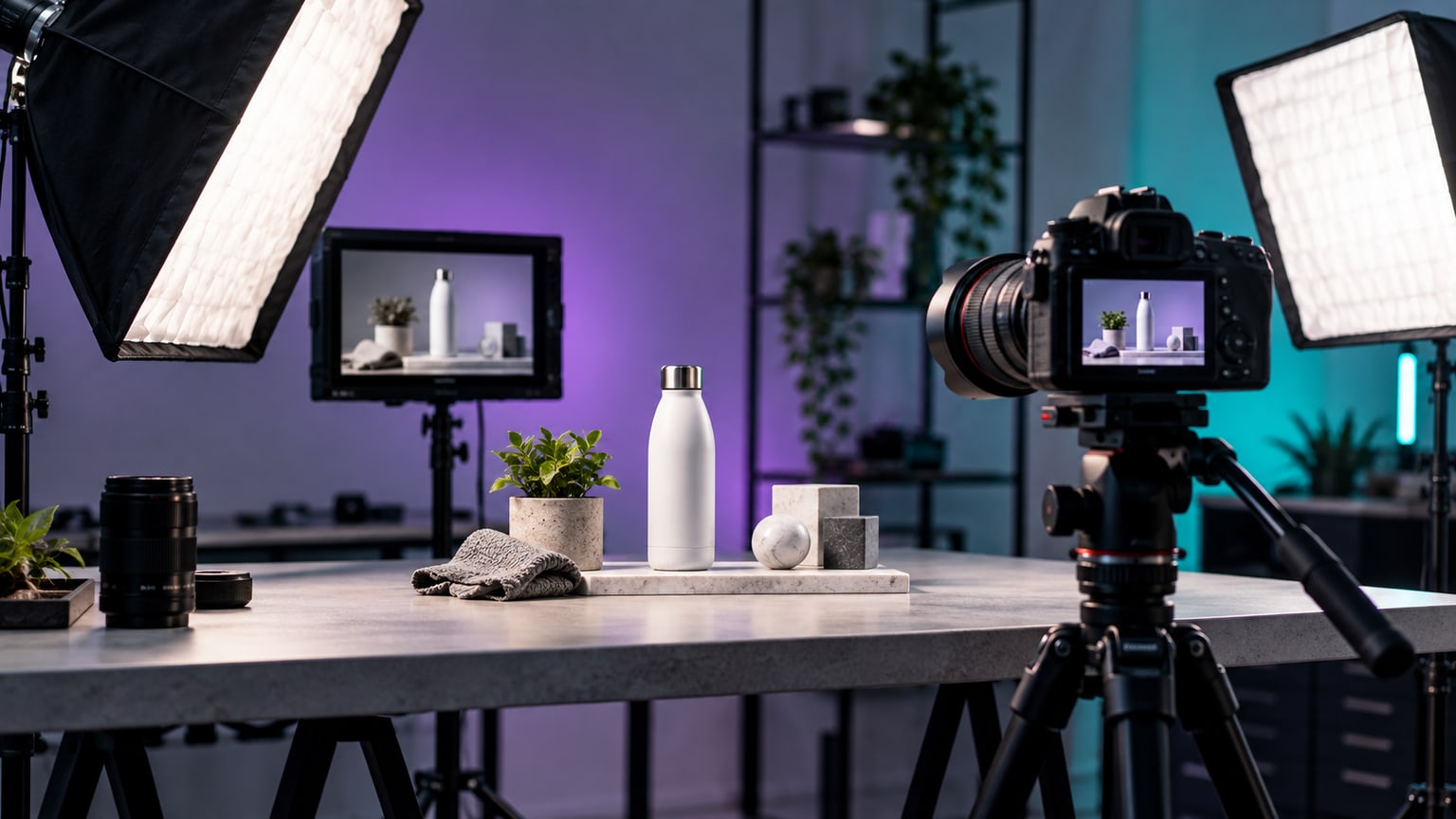
A product film for an online store should quickly answer questions that a photo alone does not solve: how big the product is, how it works, how it looks in use, and what the customer will receive after ordering. Therefore, before editing, you need to plan not the prettiest shots but the shots needed for the purchase decision. Only then do you select the pace, captions, music, and publication formats.
Start a product film for an online store with one customer doubt
The most common mistake is recording the product from every side without answering a specific question. Such a film looks like a moving packshot but does not always help the buyer. Before setting up the camera, list three concerns that may stop the customer: size, material, assembly, how it works, noise, fit to the interior, colour, or set contents.
If you sell a technical product, the start-up process may be important. For clothing, the movement of the fabric and fit matter. For cosmetics or accessories, the customer wants to see texture, scale, and how to use it. A different film will be made for a premium product and another for a series of simple variants in the store.
A short working sentence works well: after watching the film, the customer should know whether this product fits their situation. This sentence limits chaos on set and protects editing from adding random effects.
Choose the type of film before writing the shot list
A product film can serve several functions, but one version should not pretend to be everything at once. The product page needs clarity, the advertisement needs a strong start, and the instruction needs a calm process. If you plan several uses, record material more broadly but edit separate versions.
| Type of film | What it should show | Where it works best |
|---|---|---|
| Product presentation | appearance, scale, variants, details | product page, landing page |
| Demonstration of operation | problem, usage, effect after application | shop, YouTube, advertisement |
| Instruction or onboarding | next steps, errors, safety rules | knowledge base, email after purchase |
| Short promotional clip | one strong use and clear CTA | Meta Ads, TikTok, Reels, Shorts |
This division also helps with pricing. Editing a single calm presentation is a different scope than a package: product card, vertical clips, post-purchase instruction and advertising version. It’s better to name these needs at the start than to try to extract all formats from randomly recorded material.
The shot list should result from the purchase decision
The most useful shots are those that reduce uncertainty. They don’t have to be complicated. It’s important that they show the product in a way that a photo, description and specification cannot show equally well.
- Show the product to scale: in the hand, on a person, on a desk, in a bag or next to a familiar object.
- Record movement: opening, folding, putting on, pouring, pressing a button, changing mode or material reaction.
- Collect details: texture, fastenings, ports, stitching, surface, packaging and set elements.
- Show the problem and usage: the situation before the product and a simple moment when the product solves the task.
- Record variants: colours, sizes, accessories and differences that the customer actually compares.
- Leave a few seconds of clean frame before and after the action so the editor has room for cutting.
If the film is to be part of a larger brand communication, B-roll from the process, packing or team work will also be useful. A separate guide on B-roll in corporate film shows how to prepare such shots without taking a random walk with the camera.
Framing and lighting should show the truth about the product
With product films it’s easy to overdo the atmosphere. Dark background, sharp light and fast movement can look impressive, but if the customer can’t see the colour, texture or scale, the film stops helping. The setup should first show the product clearly, and only then build the brand mood.
Pay attention to reflections, dust, fingerprints, labels and packaging condition. The camera often shows more than the eye on set. For shiny products prepare soft light sources and control what reflects on the surface. For fabrics and cosmetics, colour consistency between shots is especially important.
Don’t shy away from ordinary use
The most convincing shot is often simple: a hand takes the product, performs one action and shows the effect. If the product requires instruction, record it slower than it seems natural on set. The editor can speed up pauses but cannot recover a missed step.
Plan formats: product card, advertisement and shorts
The same material can work in several places, provided you think about it before recording. A horizontal film for the product page needs stable composition and space for possible captions. A vertical ad requires a safe frame for the app interface, and a short needs a beginning that works without the shop page context.
- Prepare a calmer version for the product card that shows the most important features without rush.
- For ads record separate openings: problem, usage, detail or quick comparison of variants.
- For social media leave more space around the product so vertical framing doesn’t cut off hands or labels.
- If you plan subtitles, don’t place the most important elements near the bottom edge of the frame.
For longer material it’s worth marking moments suitable for short clips right away. We describe this process in more detail in the post one film, many formats, but for a product the rule is simple: a short must have its own meaning, not be a random excerpt of the presentation.
What to prepare before sending material for editing
Editing a product film goes faster when files are not just a collection of nice shots. Include information about which product features are most important, where the film will be embedded and what decision it should support. Descriptions of variants, correct product names, fonts, brand colours and a link to the product card are also useful.
- Brief with one main customer doubt and a list of product features.
- Raw shots in folders: hero, details, usage, variants, packaging, graphics.
- Information about final formats: 16:9, 1:1, 9:16, lengths and publication places.
- Current logo, colours, fonts and rules for using price, promotion and claims.
- Scope of language versions, subtitles, voice-over and music if needed.
- List of forbidden shots, outdated packaging or features that must not be promised.
If you are sending many files, also check the guide how to prepare material for editing. Order in folders is especially important for a product because mixing up a variant or label can create an error on the sales card.
Think about SEO and implementation before the film goes to the shop
Editing alone is not enough if the film will be hard to find or play. Google in its documentation for e-commerce video highlights embedding the film on the appropriate page, thumbnail availability and video structured data. For the product card it’s also worth ensuring consistent product data, description and correct commercial information.
In practice, ask the shop team for the publication place, thumbnail, title, short film description and information whether the video will be hosted in the shop, on YouTube, Vimeo or another player. These are technical matters but they affect whether the film will be part of the product card or just a file uploaded alongside photos.
Sources and resources
Short checklist before the product plan
- You know which customer doubt the film is meant to resolve.
- You have chosen the type of film: product card, demonstration, instruction or advertisement.
- The shot list shows scale, usage, details, variants and set contents.
- Shots are prepared for the horizontal product page and vertical clips if needed.
- The brief contains correct product names, features, prohibitions and publication locations.
- The store team knows how to embed the film, thumbnail and technical data on the page.
Do you have a product, a series of variants or raw footage for an online store? SVISUALS can help plan the shot list, edit the product film, prepare versions for the product card, advertisements and shorts, and organise exports for publication.
Price a product film →