

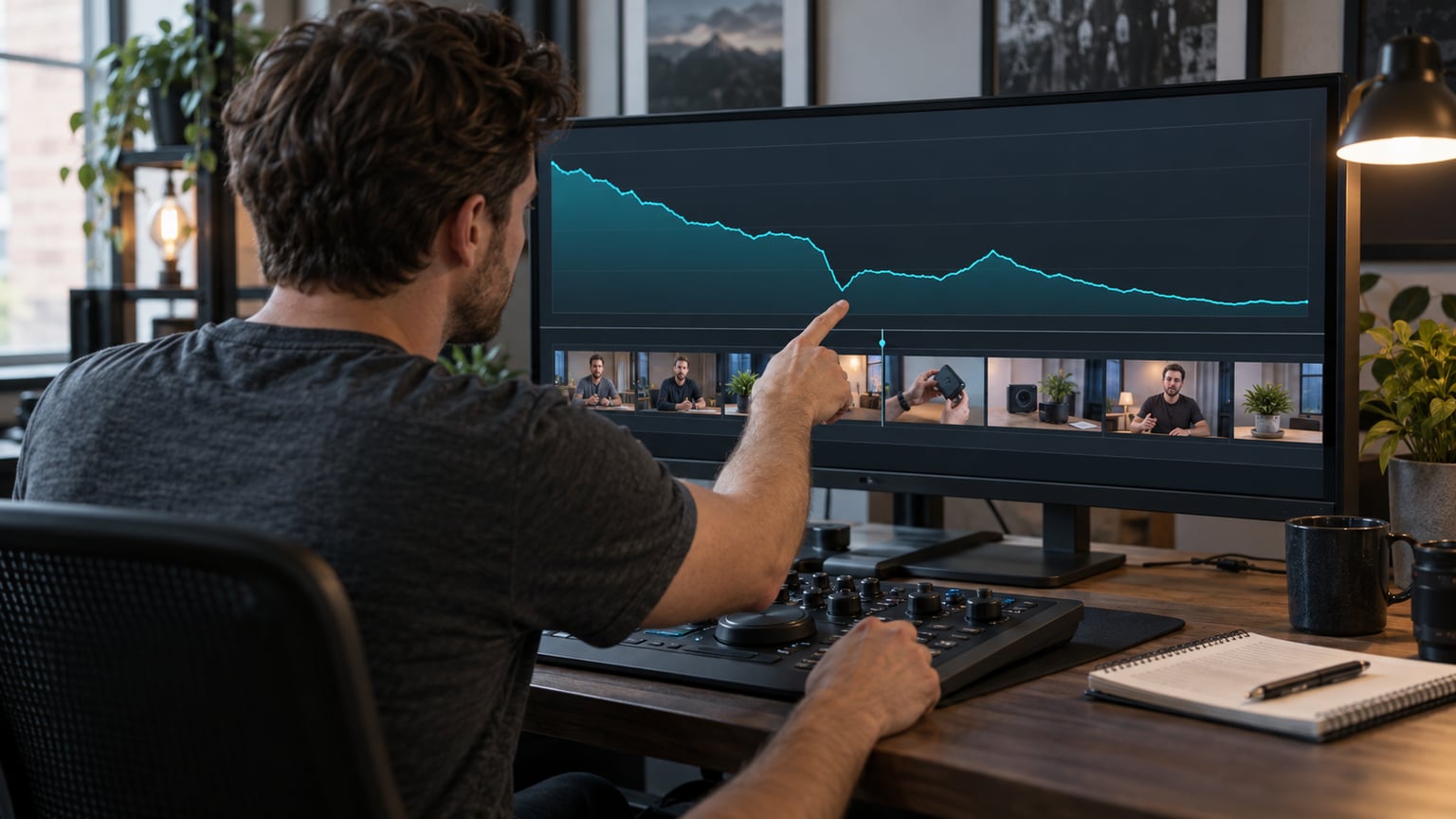
Viewer retention on YouTube shows how viewership changes at successive moments in the film. To use it in editing, match the graph with a specific scene, note a possible explanation and choose one change to test in the next episode. The drop alone does not yet indicate what needs cutting. You need context: the promise of the title, the type of audience and the task the film was meant to perform.
Where to check viewer retention on YouTube
In YouTube Studio, open Content, select the statistics for a specific film and find the Audience retention report in the Overview or Engagement tab. According to YouTube Help, data processing usually takes 1–2 days. The introduction rate concerns viewers remaining after the first 30 seconds. A sudden drop may indicate skipping a segment or ending viewing, and an increase may also indicate rewatching a confusing segment.
This guide mainly concerns longer episodes: interviews, expert films, vlogs and corporate materials. For analysis, prepare the film link, its title and thumbnail, and a screenshot of the entire graph. Do not start by zooming in on a single dip. First, watch the episode as someone seeing the channel for the first time would.
Write down the film's goal before evaluating the result
Imagine two materials. The first answers one question about device setup. The second leads through the story of its creation. In the first, the viewer may leave after getting the answer; in the second, they need the ending. The same graph shape may require a different editorial decision. Therefore, next to the statistic, note what the viewer was supposed to learn or do after watching.
Do not accept a random percentage threshold as an evaluation of the entire channel. For your own review, compare episodes with similar topics, length and audience acquisition method. Also note the number of views and publication age. Comparing a new film with material that has been gathering an audience for several months easily leads to hasty conclusions.
Turn observation into an editing hypothesis
For each suspicious spot, replay the segment including several seconds earlier. Note what actually appears on screen and in sound. Does the presenter repeat a thought? Does the demonstration give way to a long explanation? Is there a title card that provides no new information? The conclusion should be assignable to a scene, not to the general impression that the episode is not dynamic enough.
| Observation in the film | Possible change in the next episode |
|---|---|
| After the topic announcement, a long company history appears | Open the episode with an example of the problem, and shorten the history to the information needed in that scene. |
| Two statements explain the same stage of work | Keep the clearer statement and go straight to the demonstration. |
| The table disappears before the comparison can be read | Show less data at once and extend the time to read the most important row. |
| The presenter announces the end before the last example | Move the farewell after the example, keeping a natural closure to the story. |
Separate observation from interpretation. The sentence “at 02:10 the second presentation of the same argument begins” can be checked. The sentence “viewers dislike the presenter” is a far-reaching assumption. For the editor, the first information with a suggestion for shortening is more useful than a strong opinion without a specified segment.
Example: what to do with a long introduction to the topic
Suppose the film is to explain how to choose lighting for a small office. In the opening, the presenter greets, introduces the company, talks about experience and only later shows two lamp variants. This is an illustrative example, not a client project result. If analysis suggests checking the beginning, you can prepare the next episode with a different information order.
- Show two settings and name the difference the viewer will soon learn to assess.
- Keep a short introduction of the presenter related to this specific task.
- Move on to the first selection criterion without restating the entire plan.
- Maintain a calm pace during the demonstration so the viewer can see the effect of changing the lamp.
The hypothesis then is: showing the problem more quickly will help the viewer assess whether they have found the right material. This is a more precise direction than simply instructing to add more zooms. However, note that you are changing the order of the opening. If you simultaneously restructure the entire format, it will be harder later to determine which element is worth keeping.
Not every place requires faster cutting
Editing should aid understanding. During a tool demonstration, an important quote, or an emotional response, a breath can be part of the content. Mechanically removing all pauses deprives the viewer of time to absorb the information. Before shortening a scene, check whether the problem is actually a lack of a visible example, a quiet voice, or unclear transitions between threads.
A useful exercise is to watch a selected fragment without looking at the graph. Summarise in one sentence what the viewer learned from it. If it is difficult to identify new information, consider combining scenes. If the information is important but dense, try breaking it into two clear steps. A longer fragment may be a better decision than a shorter one.
What to convey to the editor along with the graph
A screenshot of statistics alone is not yet a brief. Attach a note that connects the data with the content and scope of the next edit. There is no need to share the channel password: for joint discussion, you can prepare screenshots or exports of available data. It is important that the editor knows the context and does not have to guess which episode the comment refers to.
- Link, title and thumbnail of the analysed video and its main objective.
- Date of data retrieval, data range, number of views and known traffic sources.
- Two or three timecodes along with a description of the scene and possible explanation.
- One priority change for the next episode and elements that should remain.
- Deadline for joint review of the next publication and a list of compared materials.
The method of recording such comments is also described in the guide on film editing corrections. Here, additionally, mark what results from observations and what is just an idea to be tested. This way, the first version of the new episode addresses a specific problem instead of collecting random effects.
After the next publication, check the decision, not just the percentage
Return to the recorded hypothesis: does the example actually appear earlier, has the repetition disappeared, is the table readable? Only then compare viewing of similar fragments and the entire episode. Also record changes in topic, title or promotion method. A better result after one publication does not yet prove that the editing itself caused the improvement.
Keep a simple record: episode, observation, implemented change and decision for the future. After several publications, you have material for a discussion about the series style based on specific scenes. Retention then becomes an editorial tool, not pressure for every next film to be faster than the previous one.
Sources and resources
Do you have recordings and statistics of previous episodes? SVISUALS can take them into account when editing the next film: organise the opening, shorten repetitions and refine the clarity of examples. Send the material and indicate the fragments you want to discuss.
Discuss film editing on YouTube →Looking for a team to edit your channel? See what our YouTube video editing : projects, post-production scope and terms of ongoing cooperation look like.